
Reliable transactional email service
Launch email notifications about sales, delivery, and order status. Automatically and instantly with API triggers.
Start for free
What is transactional email?
Transactional emails are automatic messages triggered by user actions, order status changes, or support requests, such as:
- Purchase and delivery updates
- Registration confirmations
- Password reset and change
- Support ticket status
- Back-in-stock notifications
- Discount coupons
- Checklists for newbies
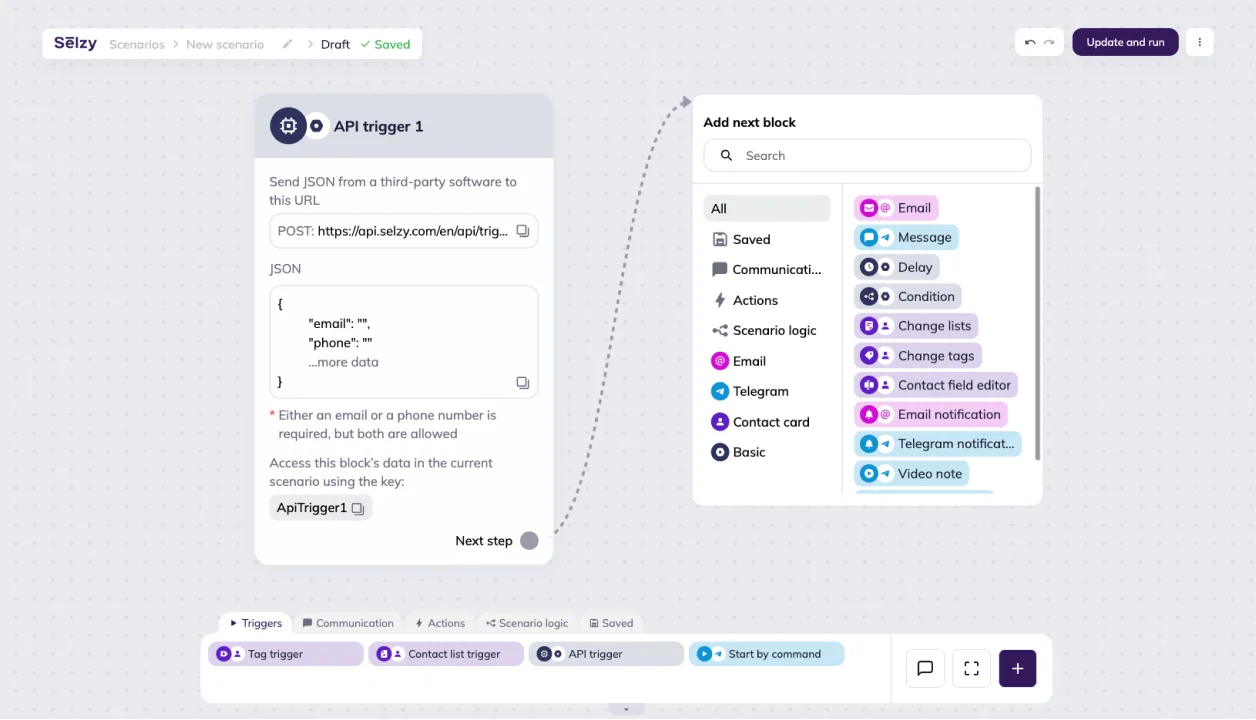
Build transactional email workflows using our drag-and-drop automation builder. Set it up once, save time, and stay connected with your customers.
Do more marketing tasks automatically
Timely notifications of important events boost loyalty and reduce the workload of your support and sales teams.

Password reset
Send secure links instantly in response to user request

Registration & subscription
Welcome new users and convert them into loyal clients

Order updates
Keep customers informed about status, delivery, and changes

Reviews
Automatically request feedback after purchase

Billing
Notify about subscription renewals and balance updates

Support
Update clients on ticket progress and responses instantly

Discount coupons
Automatically send a receipt, gift card, and activation guide to the customer’s inbox.

Stock alerts
Notify customers when an item is back in stock

Events
Remind users about upcoming webinars and events
Boost your key business metrics
| Metric | How it works | 🚀 Business impact |
|---|---|---|
| Support workload | Customers track order and delivery status in real time through automated emails | Up to 30% less load on support and sales teams |
| Retention rate | Personalized transactional flows keep users active and engaged | More repeat purchases, long-term relationships, steady revenue growth |
| SLA compliance | Automated emails confirm actions, updates, and support requests instantly | Faster response times, higher service reliability, stronger customer trust |








Key features of Selzy’s transactional email service
Easily connect your e-commerce store, CRM, or app to our transactional email platform. Use Selzy for both marketing and transactional emails.

Simple drag-and-drop builder
Set up transactional emails in minutes using our drag-and-drop scenario editor. Easy to set up, even for beginners.
API triggers
Set up transactional emails using an API trigger directly within the Scenario workflow. If your platform supports webhooks, you can do this without any coding. If not — no worries, it’s a fairly simple task for a developer. Sync instantly with CRMs, website builders, and other platforms that support webhooks.


All communication in one place
Turn routine transactional emails into a powerful engagement and sales channel. Combine transactional and marketing emails into a single flow — just add the right blocks and track performance
Detailed analytics
Track key metrics right inside the builder:
- Sent emails
- Delivered emails and delivery rate
- Bounces
- Opens and open rate
- Unique clicks and CTOR


24/7 Support
We are available 24/7 in online chat! You can get expert help in 5 minutes via chat, email, and phone
High-speed delivery
Send transactional emails with virtually zero delay. As soon as your system hits the trigger URL, Selzy starts the automation.


Top-tier data protection
All information is hosted on servers in certified data centers in the EU. All transmitted data is encrypted with 128-bit keys — the same level of security used by leading banks and payment systems.
Ready to send your first campaigns?
Get started for free. Scale up when you’re ready.
Try Selzy for free
 Free
Free
Free
Lite
Standard
Best deal
Enterprise
dedicated manager, performance boost and more
50,000+ customers can't be wrong...
Selzy is the easiest way to start selling with email — but don’t just take our word for it.
Read our customers’ success stories and see what they have to say 👉


“A true gem we discovered in a huge pile of email marketing software. Way more affordable than those big known brands, and it outperforms them! All we need for full blown email marketing campaigns.”

“The overview dashboard is something I really love, because of how easy it is to understand and the summary statistics of my overall opens, clicks and unsubscribe. The support desk is really great and quick to respond.”


“I sent the first (test) campaign in less than 5 minutes. How did Selzy get me? Pleasant dashboard, clear statistics, including the deliverability of emails from the campaign, send an email to contacts who haven't opened the message (with one click), simple import of contacts”

“Great buy! The builder covers everything, I was looking at the large array of design templates. The UX/UI is just smooth. Selzy makes Mailchimp look pale in comparison.”


“The best thing about Selzy is its ability to manage marketing emails with fantastic templates, simplifying the process.”

“Not kidding. Selzy is really good. their support is beyond excellent. Response time is less than 5 minutes. They staff is skilled. The ux/ui is amazing. I highly recommend everyone to use it. This company really knows what they are doing! In fact, this is one of the best LTD's I've bought in a while.”

“Selzy is cost effective to the max and it makes it clear how my list health is going. Also top of the line support. We are talking minutes no matter what time I pinged the chat.”


“I have been extremely satisfied with Selzy and would highly recommend it to anyone looking for a reliable and user-friendly email campaign management tool. The analytics and reporting tools are top-notch, providing detailed insights into the performance of my campaigns.”

“Great UI, super easy to use and navigate around. I really love the ease of use and the amazing and attractive templates it has that makes it so simple.”

“Create email campaigns super fast, and having my email list on different categories is awesome. Been using Selzy a lot, no complaints at all.”

“Instead of opting for larger platforms like Mailchimp or Constant Contact, which offer an abundance of unnecessary features and complex interfaces, I desired a more straightforward solution focused on email sending. After comparing various email marketing platforms like Sender, Sendpulse, and Mailerlite, I ultimately chose Selzy.”

“I can run a campaign easily. It’s an alternative solution to the CRM+Email marketing tool I use on a daily basis.”







Get round-the-clock support via chat, email, and phone
FAQ
How much do transactional emails cost?
The free plan gives you 1,000 emails a month — covering all types of emails, including transactional ones — and up to 100 recipients. If a free plan feels too small and you want to test on a bigger audience, we’ve got a 14-day trial with the higher limit of 10,000 free emails to 2,000 contacts. For further details, visit the pricing plans page.
How do I start sending transactional emails?
To start sending transactional emails, you first need to create an account in our transactional email platform, authenticate your sending domain by adding a few technical records to your DNS, including SPF and DKIM records, and set up integration with your website, CRM, or any other application.
Once everything is set up, follow these easy steps:
- Open the Scenarios → Triggered tab in your Selzy account.
- Click New scenario or pick a ready-to-use automation template.
- Drag the API Trigger block from the Triggers category onto the editor workspace and set it up to connect with your system and transfer data.
- Design the scenario and messages in our drag-and-drop builder.
- Copy the generated URL from the API trigger block into your backend logic.
- Launch — you’re live!
To know more about the steps, and how each of the available integration options works, feel free to check the dedicated article in our Help Center, or reach out to our 24/7 support team. We can also perform a demo for you if you wish.
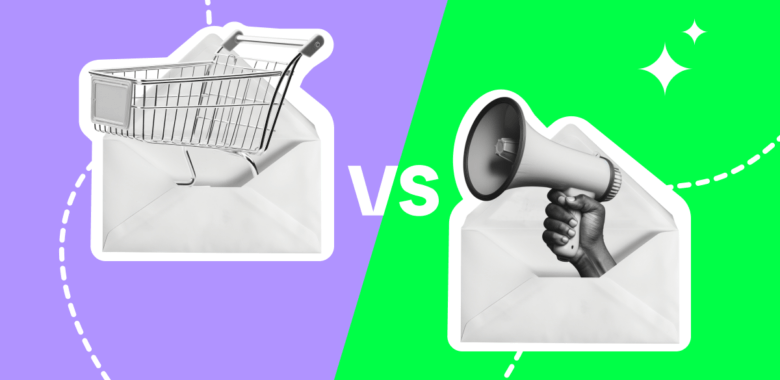
What’s the difference between transactional and triggered emails?
Transactional emails inform clients about an event or confirm an action, therefore improving your quality of service. Triggered emails get customers to act: for example, to make a purchase.
You can combine both in one flow for seamless communication and measurable results.


Deliver your most important messages straight to the inbox
Automate your transactional emails — fast, smart, and triggered exactly when they should be.
Start for free