



Key takeaways
- Confirmation emails are crucial in customer experience, with high open rates and CTR.
- Confirmation emails should be personalized, engaging, and reflect brand identity.
- Different types of confirmation emails include order, booking, registration, subscription, visit, payment received, shipping, and delivery confirmations.
- Key elements to include in confirmation emails are verification of the order, order summary, delivery details, and next steps.
- Compliance with regulations like GDPR is essential in confirmation emails.
A confirmation email, as the name suggests, serves to confirm a certain user action, and this is a very important thing in the customer experience. Such emails are particularly valuable because customers anticipate them, for example, to make sure their purchase, booking, or registration went through. That’s why they typically see higher open rates.
So, don’t miss this chance to build a stronger relationship – our tips will definitely be helpful. Let’s go!
What is a confirmation email? A confirmation email is an automated message sent right after a customer completes an action, such as placing an order, booking an appointment, registering for an event, paying an invoice, or subscribing to a newsletter. A good confirmation email should make the action feel complete, show the essential details, and explain the next step clearly.
What a confirmation email is
A confirmation email is a trigger email sent to customers after performing a particular action: booking tickets, ordering in an online store, subscribing to a newsletter, or registering for an event.
In practice, confirmation emails sit between transactional and marketing communication. Their first job is functional: reassure the customer that the action went through. Their second job is relationship-building: use clear copy, useful details, and consistent branding so the interaction feels trustworthy rather than generic.
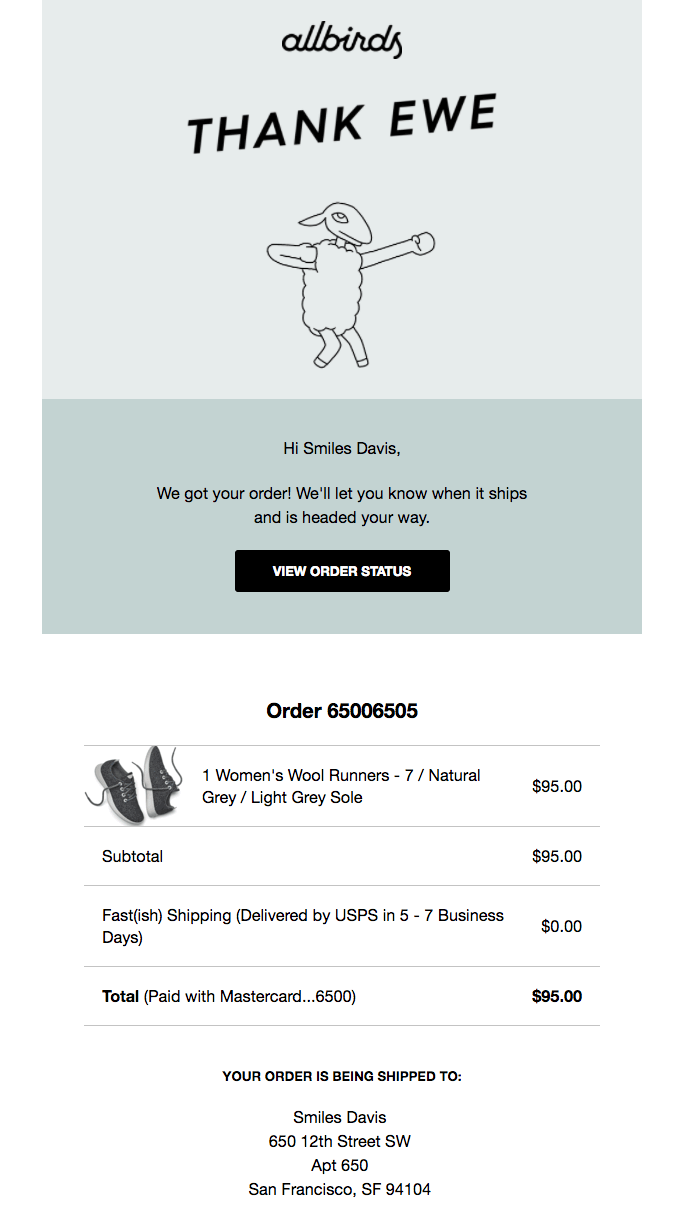
Marketers often miss the opportunity to use this communication for attracting users’ attention and differentiating your brand. They simply use a ready-made standard template offered by their ESP, which doesn’t communicate anything about the brand or create an emotional bond.
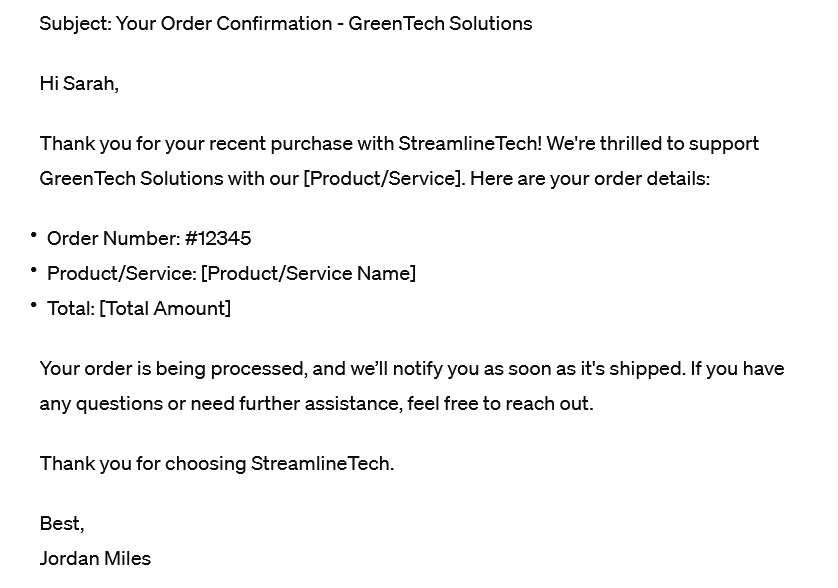
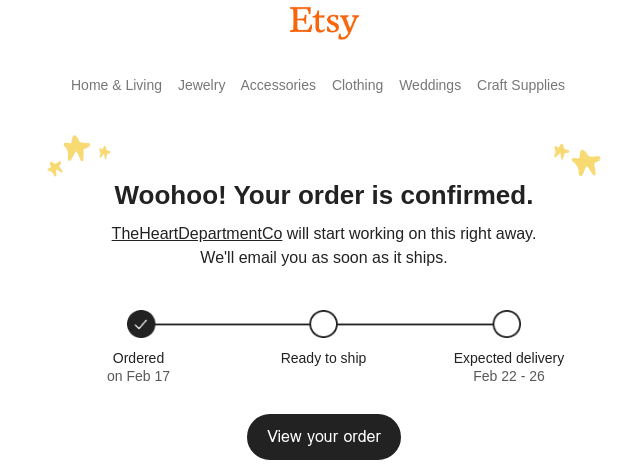
Compare it with the example below: it is clear that “woohoo!” and design elements such as delivery steps, bright logo and tiny stars in the template are more likely to catch customers’ attention, while the same cannot be said about the previous formal example.
Why send a confirmation email
Here’s why confirmation emails matter:
They have high open rates and CTR
According to GetResponse’s 2024 Email Marketing Benchmarks report, based on 2023 customer sends, triggered emails had an average open rate of 45.38% and CTR of 5.02%, above the overall averages of 39.64% and 3.25%.
It means that confirmation emails convey an important message for a customer, reassuring that the interaction with the service goes as planned. So, you have all your customer’s attention in this case, and that is a great opportunity to inspire or upsell new products or services.
They ensure the customer is updated about the order
Confirmation emails allow the customer to make sure that their order or booking or subscription is okay. Such emails may also follow a money transaction: it plays an important role in establishing trust and credibility.
The type of confirmation email depends on what the user just did. Use the table below as a starting point, then adjust the CTA and details to match the action. A subscription confirmation needs a consent-focused button, while an order or booking confirmation needs a clear summary and a way to check details later.
| Type | Trigger | Must-include info | Primary CTA |
| Order confirmation | Customer completes a purchase | Confirmation that the order was processed, order summary (items, quantities, price), order reference | View order details |
| Booking confirmation | User books a product or service (ticket, hotel, table, tour, etc.) | Date and time, location, price, booking details, contact information | View booking details |
| Registration confirmation | User submits a registration form | Confirmation message, clear next steps, brief benefits teaser, opt-out option | Complete registration |
| Subscription confirmation | User subscribes to a newsletter | Subscription confirmation message, confirmation link/button, consent validation (double opt-in) | Confirm subscription |
| Visit confirmation | A meeting or visit is scheduled | Date, time, location, purpose of visit, pre-visit instructions | View visit details |
| Payment received confirmation | Payment is successfully received | Payment confirmation, amount, date, transaction or invoice number, optional next steps | View receipt |
| Shipping confirmation | Order is shipped | Tracking number, carrier, items shipped, estimated delivery date | Track shipment |
| Delivery confirmation | Order is delivered | Delivery confirmation, delivered items, address, cost, tracking reference | View delivery details |
Confirmation email template examples
There are several types of triggered confirmation emails. Each of them has its own features that can help you to increase customer retention and strengthen the bond. Obviously, confirmation emails can be sent automatically through bulk email services, because drafting a unique email in response to every client’s action is not cost-effective at all.
Order confirmation
This type of email is obligatory: they reassure a customer that their order was processed successfully.
So, we know that a client anticipates and most likely opens them. What are the best ways to convey your message and score extra marketing points? Let’s check out some examples, paying attention to the wording and the tone of voice.
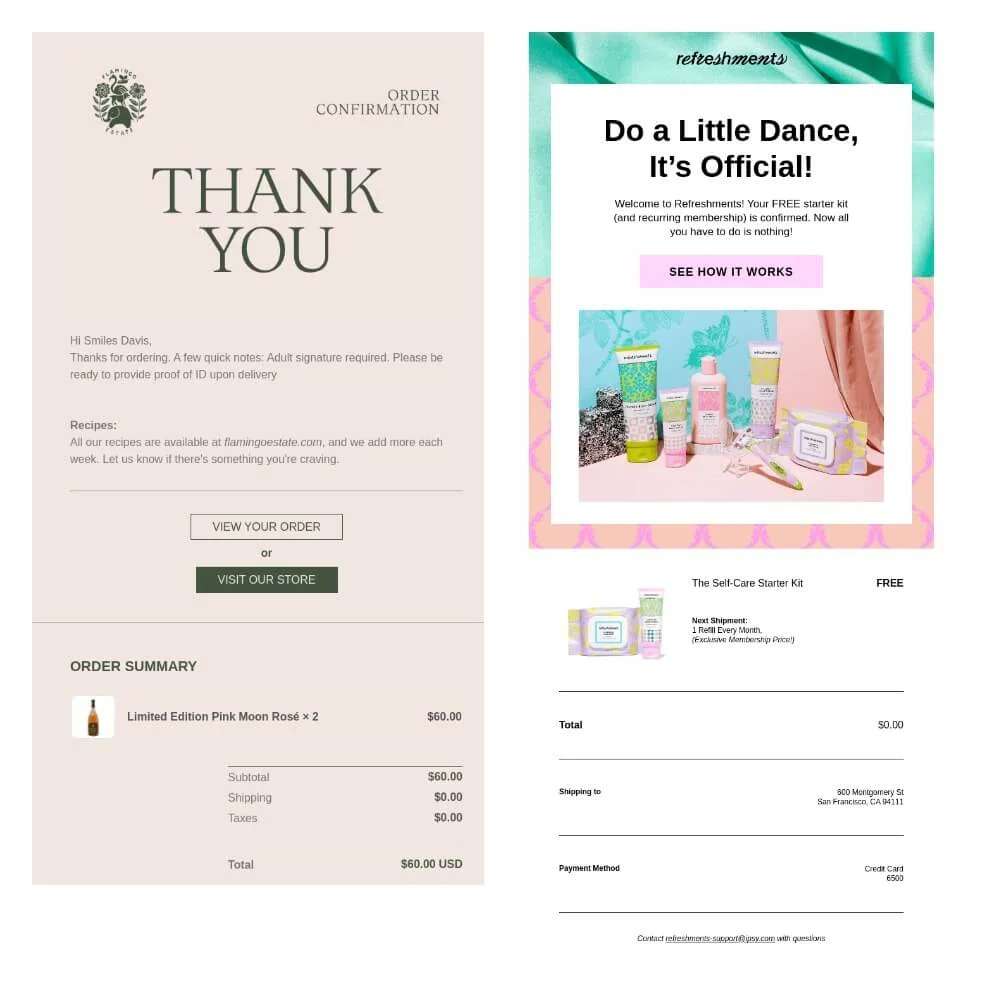
These two examples of order confirmation emails have a similar structure: the confirmation itself and the order summary. However, they differ in the tone and the visual style of the message. It depends on the general brand identity.
The luxury homeware boutique and the youth face & body essentials shop have different target audiences and style. You may notice this difference in the opening words: “Thank you” and “Do a little dance” are different ways to say that the order is okay, aren’t they? So, the devil is in the details.
Booking confirmation
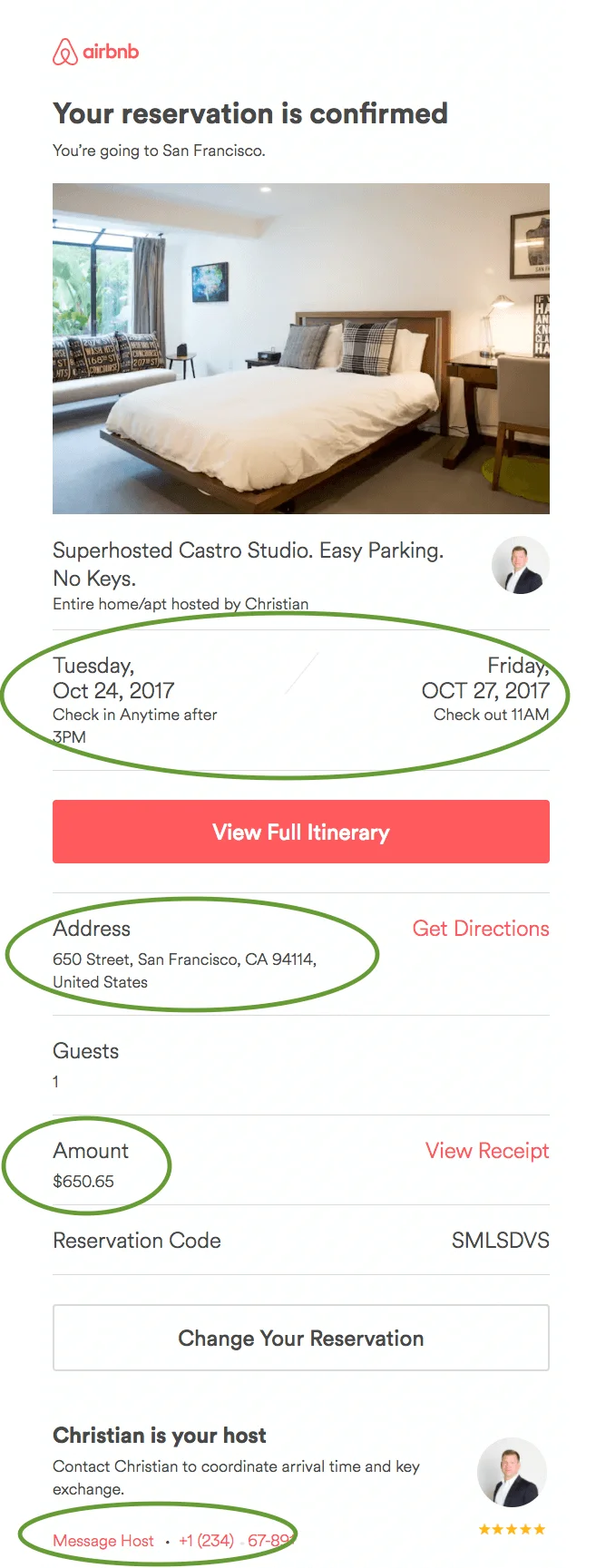
This is the type of confirmation email that a customer receives after they have booked a product or service. For example, a ticket, a tour, a hotel room, a table at a restaurant, and so on.
By sending a booking confirmation you summarize the order with all the essential information about the time and place and guarantee that you both have agreed on the terms.
Registration confirmation
Registration confirmation, or welcome mail, is sent to users after they have filled in the registration form on a company’s website.
This is your first chance to make an impression and engage your subscribers, but don’t be pushy: a registration confirmation should be short, contain clear next steps and a teaser about future benefits for staying a subscriber, as well as an opt-out option.
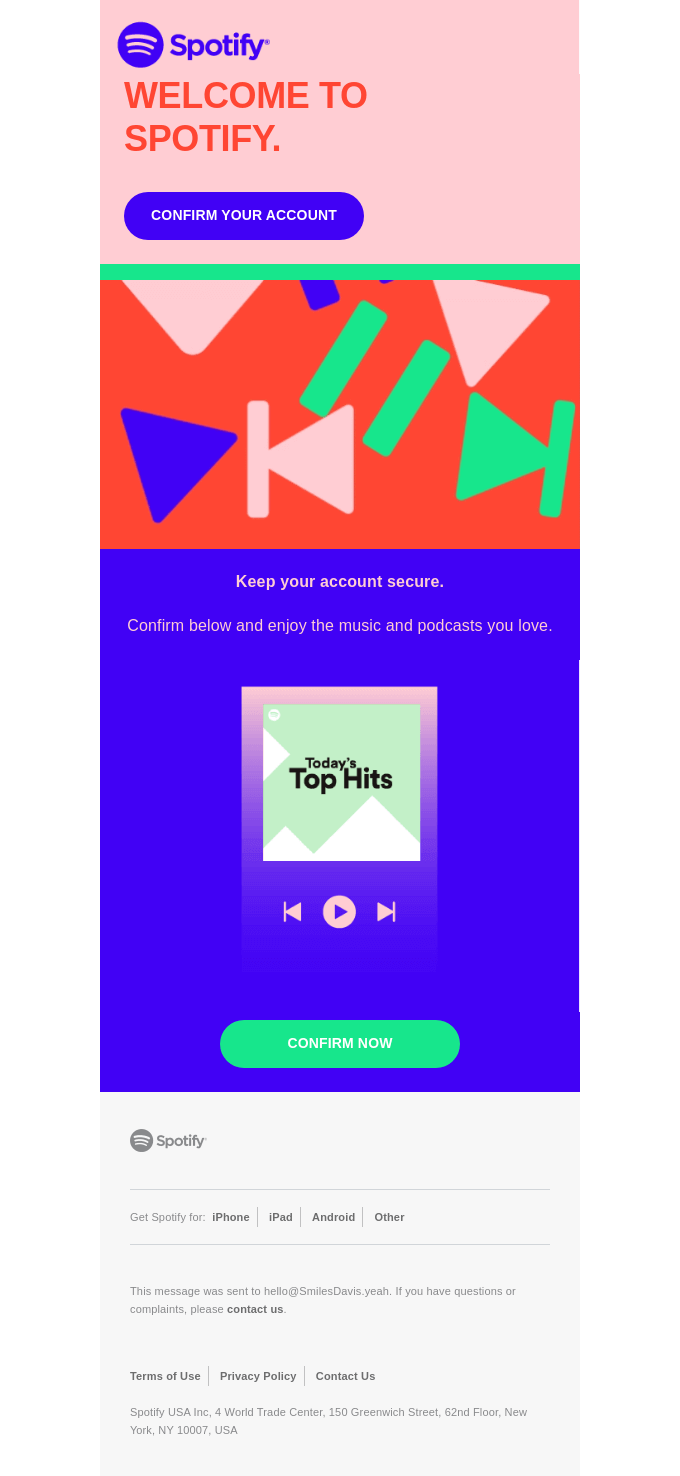
The first email should be short, friendly, and engaging.
If you discourage your potential subscriber with a boring and wordy privacy policy at the very beginning, they would never become an active subscriber. Also, do not use spammy words like “free”, “promotion”, etc. to avoid a spam folder. At the same time, do not create something too extraordinary and sophisticated, as it may also be a red flag for a spam folder. Mailbox providers scan the content of the emails, and if they track any marketing messages or spam triggers like “great offer”, “order now”, etc. they are likely to mark the email as spam.
So, do not overload a confirmation email with excessive eloquence. And you may also check out our guide on how to avoid a spam folder in our blog.

Check out our full guide on welcome emails, which is relevant for registration confirmation emails too.
Subscription confirmation
A subscription confirmation email is sent automatically after a client has subscribed to your newsletter.
The purpose of this email is to make the client confirm the subscription by clicking the confirmation button. This is your first and very important contact with a user, and this experience should be nice.
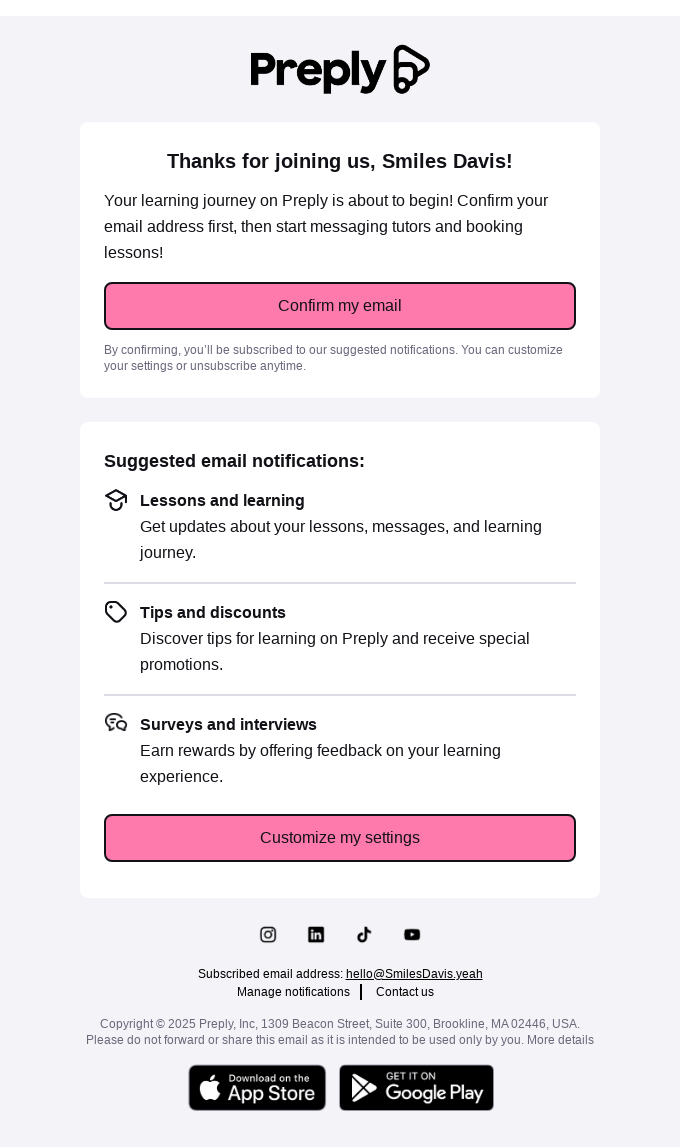
Email regulations and best practices require senders to obtain subscriber consent before sending them promotional emails. There are two ways to do it: a single opt-in and a double opt-in method.
The first one is simple, as the contact only needs to fill in the form and click “submit”. The double opt-in has more steps: after completing the subscription form, the potential customer receives a confirmation email, asking to click a link or button to confirm the subscription.
The second step confirms the subscriber’s will and agreement to receive emails. This method is recommended by the General Data Protection Regulation (GDPR) and other states’ legislative acts. It also ensures that emails do not end up in the spam folder. Eventually, it means that you work only for interested users. This approach helps to avoid inactive addresses on the mailing list.
Visit confirmation
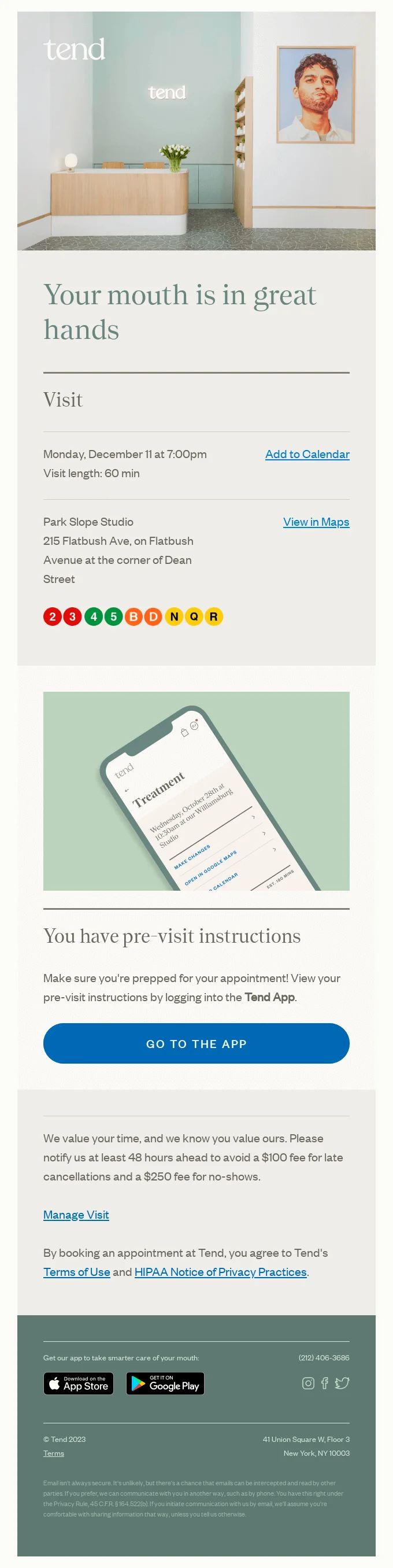
A visit confirmation email confirms a scheduled meeting and usually features essential details like date, time, location and purpose of the visit.
You can see it all in the visit confirmation email example below from Tend Dental, along with the pre-visit instructions and playful language and visuals that are part of the brand’s trademark tone of voice.
Payment received confirmation
The goal of a payment received confirmation email is, of course, first of all, clearly state the fact of received payment, thank the customer and provide transaction details (invoice #, amount, date).
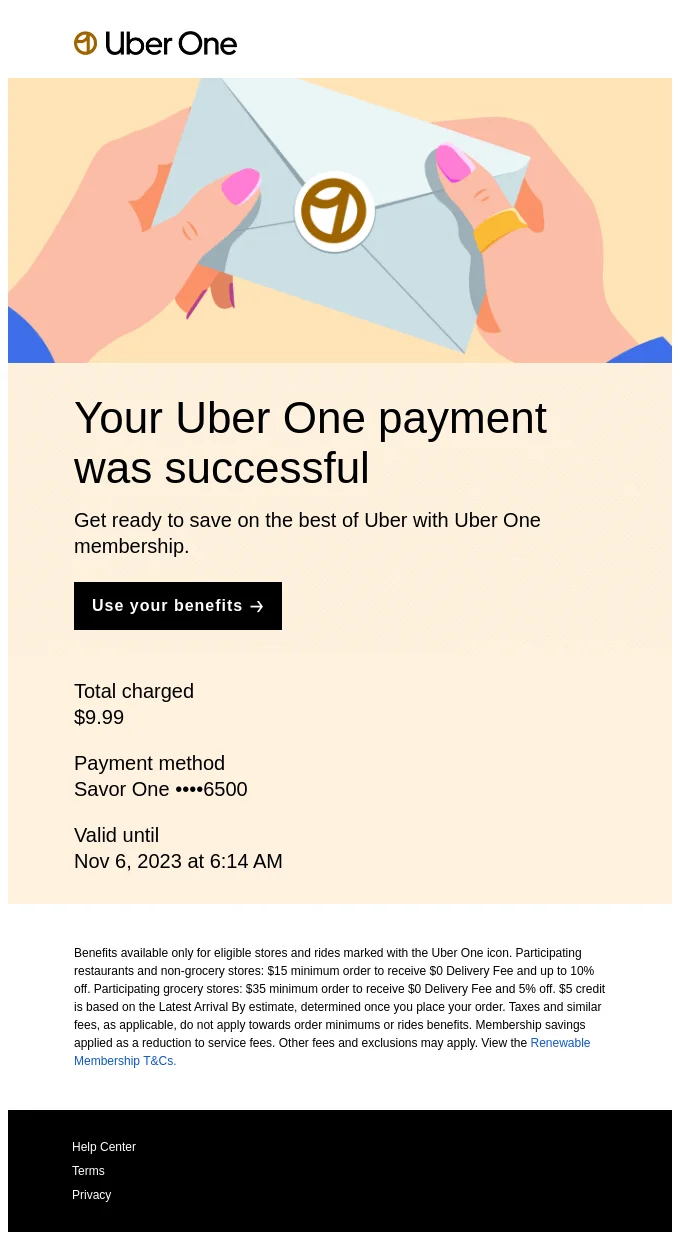
Optionally, you can also outline next steps like delivery and service start.
Use a clear subject line like “Payment Confirmation for Order #123” and personalize greetings for a professional touch.
Shipping confirmation
Another example of e-commerce confirmation messages is shipping confirmation email.
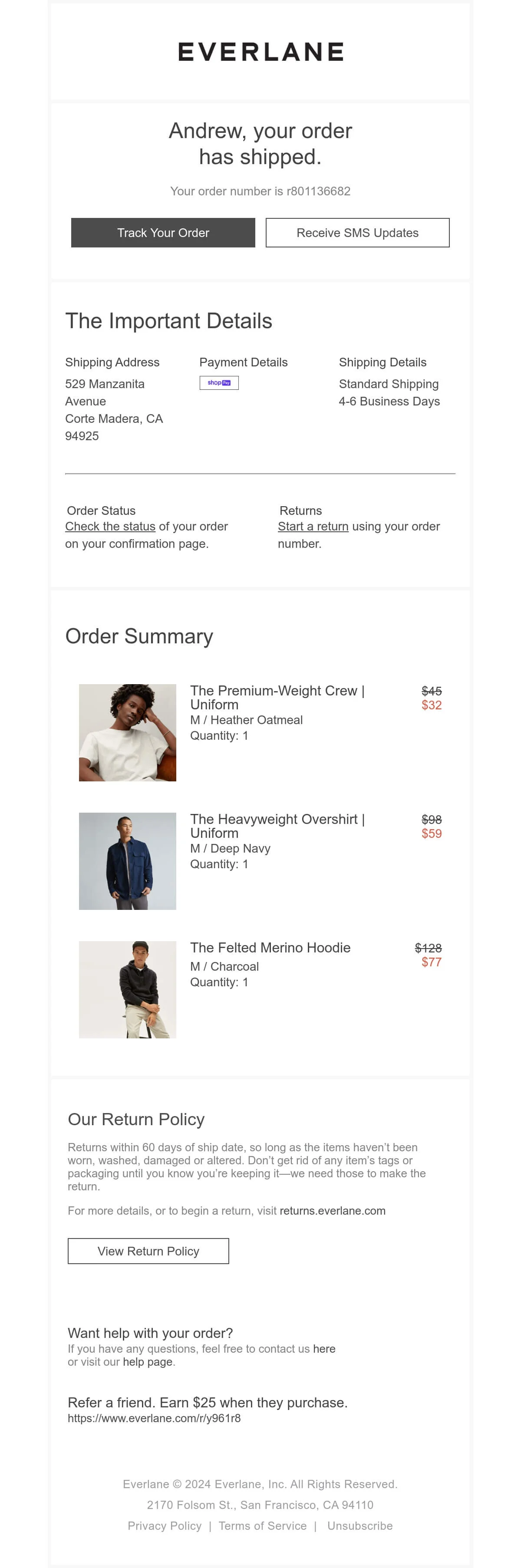
It’s crucial because it usually contains details like the tracking number, carrier, estimated delivery date, and items shipped. So, in most cases, it doesn’t have to be fancy, since its main point is to just provide essential information and reduce anxiety.
It offers a chance for brand engagement beyond just a simple transaction update, though. Like, the shipping confirmation example below from Everlane, also contains information on return policy as well as a way to connect the brand support team and learn more about referring a friend.
Delivery confirmation
Finally, there are delivery confirmation emails.
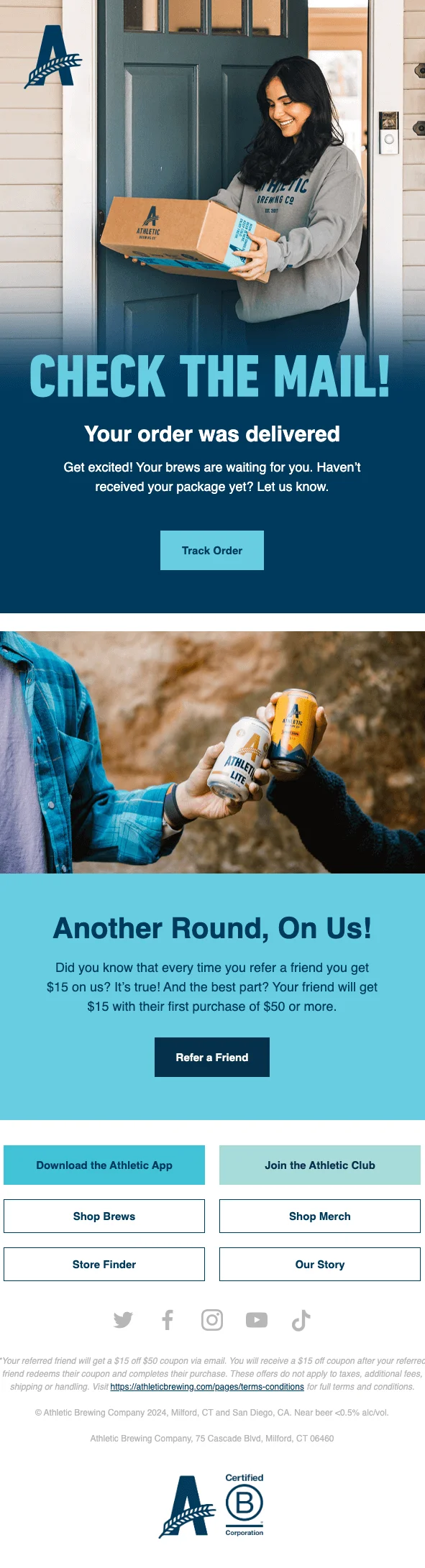
Those are automated messages sent after an online purchase, confirming an order, providing a digital receipt, and tracking details like address, items, cost, and tracking number, etc.
Their goal is to build trust, reduce support tickets, and simply keep customers informed about their package arriving at their door
Information to include in your confirmation email
Since a confirmation email launches your interaction with a user, you should provide them with necessary and clear information. Basic points are as follows:
- Verification that the order went through
- Summary of the order with images
- Delivery data and contacts
- Next steps
Before sending, check that the email answers five questions: What happened? What are the key details? What should the customer do next? Where can they get help? What should they expect after this email?
Depending on the nature of your product, some specific details will differ, but don’t ignore the issue of branding and privacy compliance, as it can boost the customer’s loyalty.
Branding
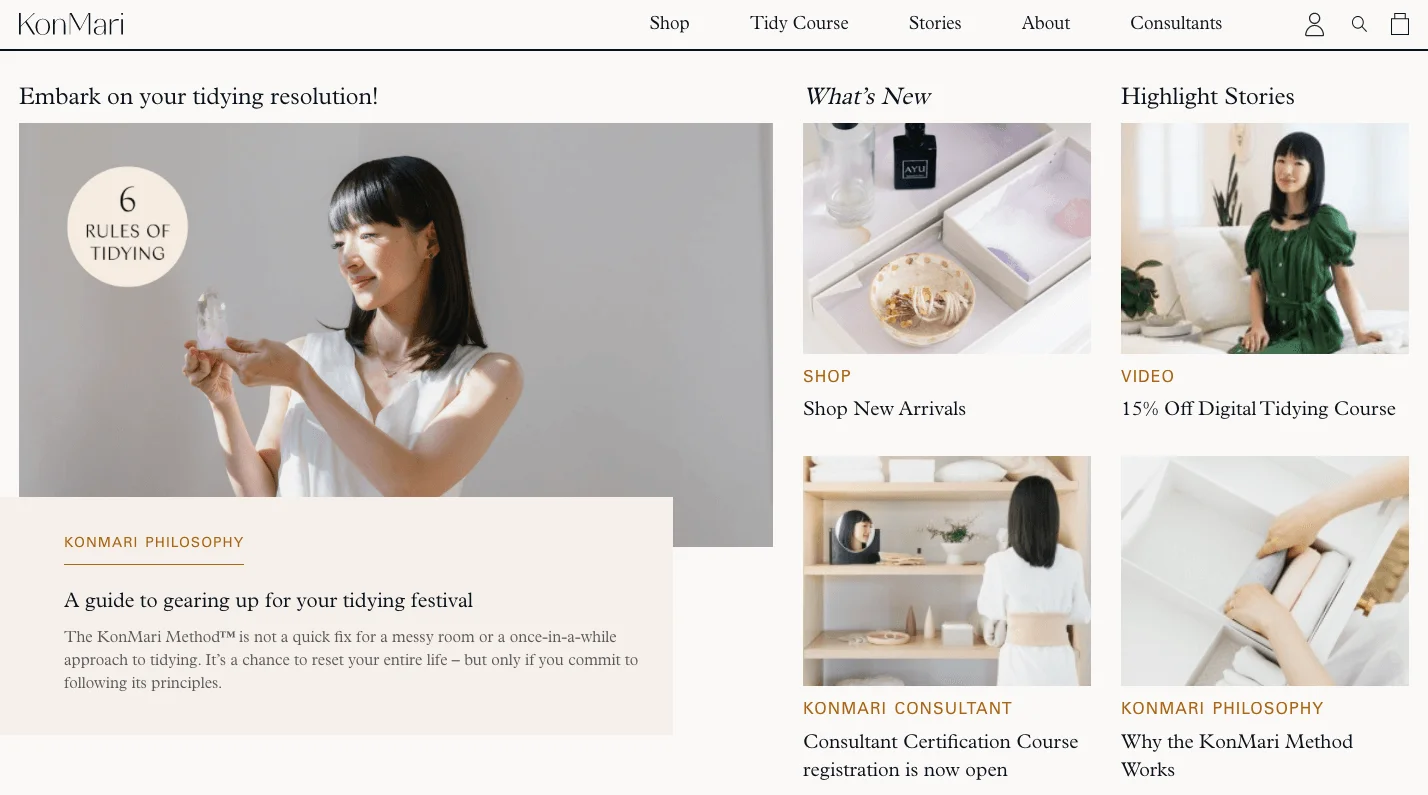
Incorporating your brand identity into email marketing campaigns is crucial for establishing strong brand awareness. A confirmation email template should have corporate identity elements, logos, as well as the brand tone of voice depending on the lines of business.
This is a landing page of the KonMari website:
And here’s a welcome email following subscription on KonMari:
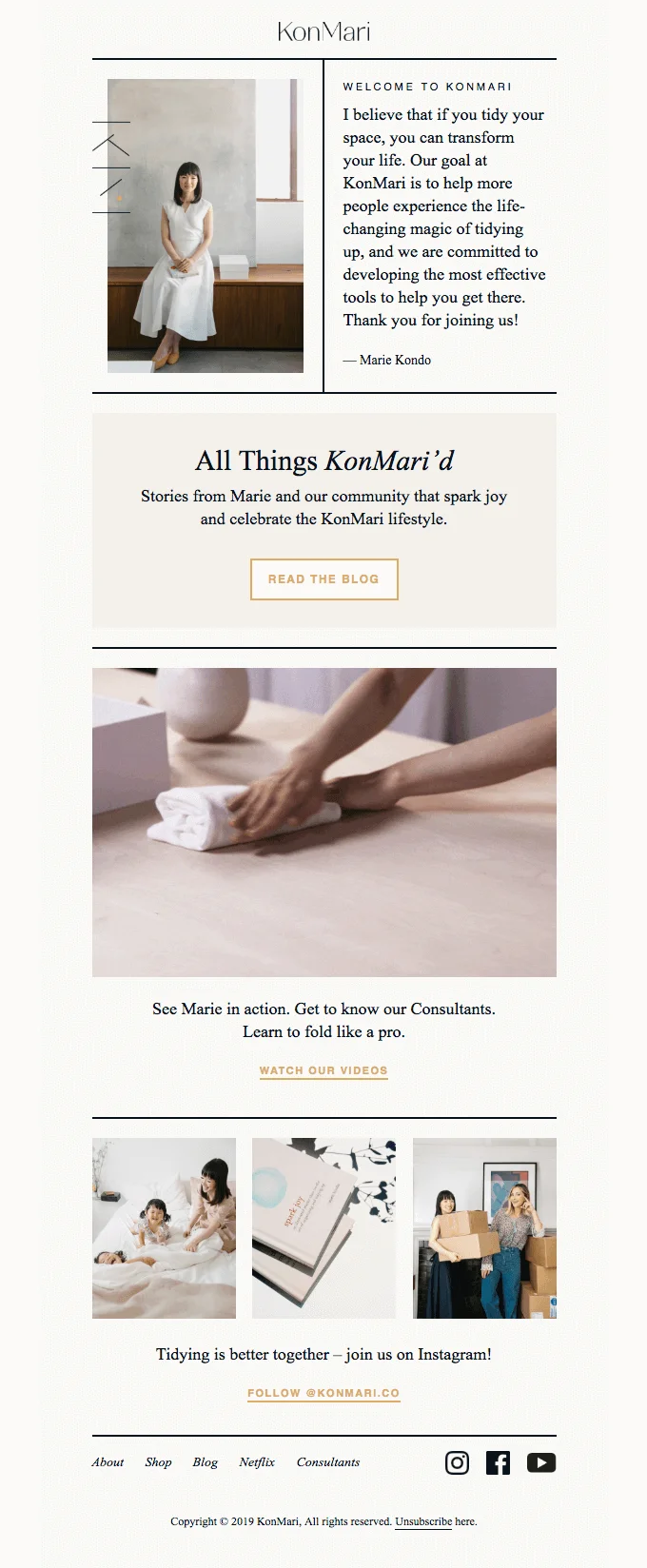
As you may see, corporate identity is integrated into the email template. Visual identity is preserved: we see the same color scheme, fonts, style of images and graphic elements like buttons or pop-ups. The same goes for texts and the tone of voice.
Privacy compliance
Apart from branding and image issues, email marketing should be performed in compliance with the legislation. For example, the GDPR requires to collect “freely given, specific, informed and unambiguous” consent to receive emails.For subscription confirmations, avoid pre-checked consent boxes and make the confirmation action explicit. For commercial follow-ups, include clear sender information and an easy way to unsubscribe where required. Treat this as a compliance checklist, not only a design detail: the more transparent the consent path is, the easier it is to prove that the subscriber meant to join your list.
Here’s an example of a double opt-in confirmation email subscribers get when they opt-in for our own email marketing digest.
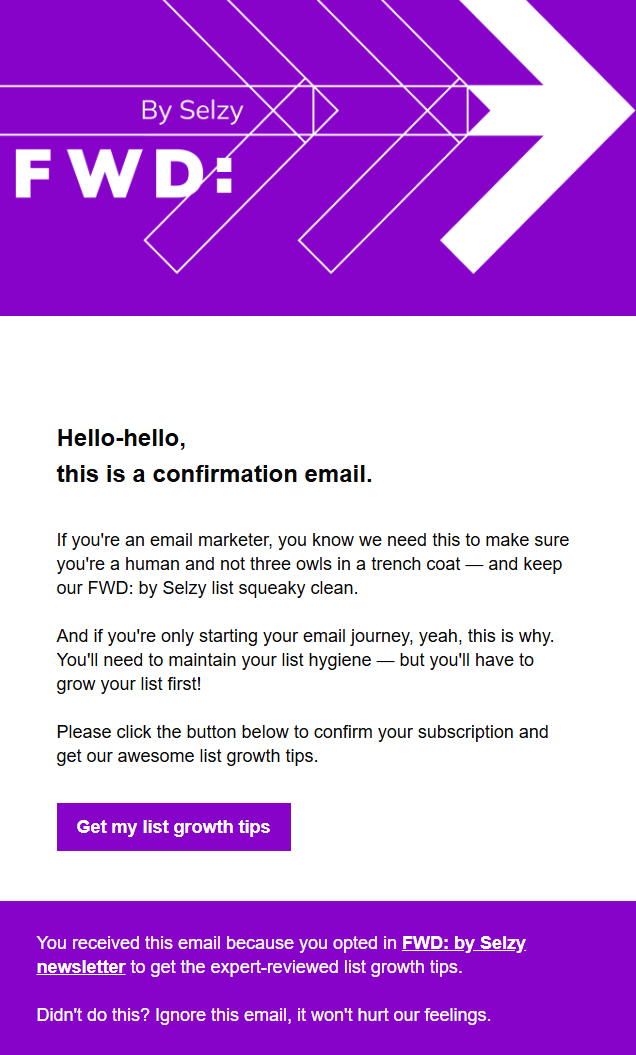

As we see in the example above, your email template should make your customers opt-in actively, by themselves, without any pre-checked boxes. It helps you prove who consented and when agreed to receive emails, should the need arise.
We recommend taking the issue of the regulations compliance seriously, as the penalties can be severe: from fines (up to €20 million) to operational restrictions, audits, and legal action. You may read more and check yourself in our guide on how to stay legal in email marketing.
Top tips on how to write a confirmation email
There is no ideal formula for drafting a perfect confirmation template, but undertaking the following steps will definitely bring you closer to it.
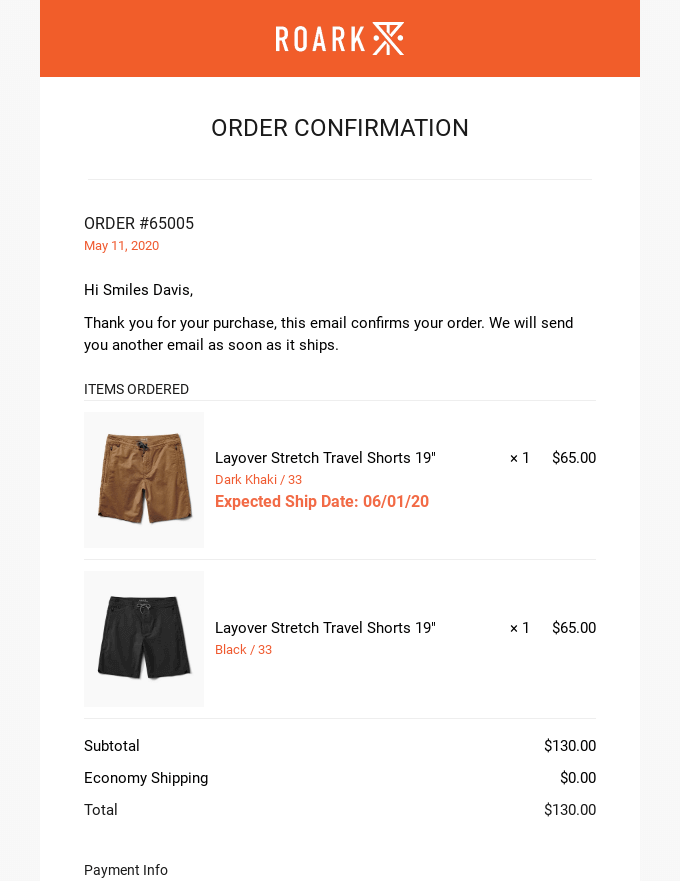
Include product photos and names
Speaking about online shopping or booking, it is very helpful to add images in the confirmation email, reminding which items are included in the order. It also reduces confusion and support tickets later.
Jokes aside, showing the item one more time, you make sure that both you and the client understand each other correctly.
Include billing summary and shipping info (if relevant)
Another safety measure is to make sure that there is no misunderstanding about the price and shipment details. This information should be clear and brief, and this is not the best situation to make the user read between the lines. Better safe than sorry.
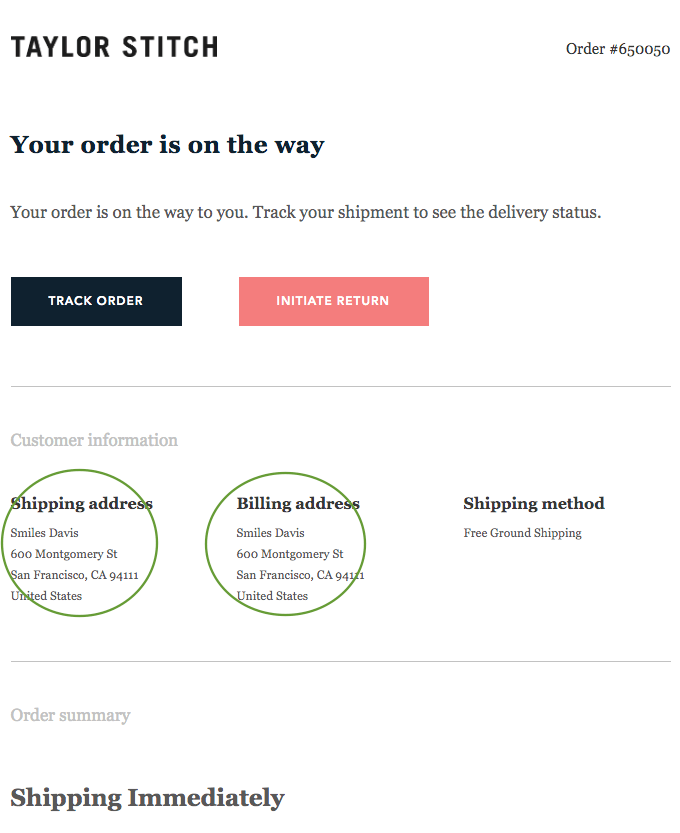
Add an order number
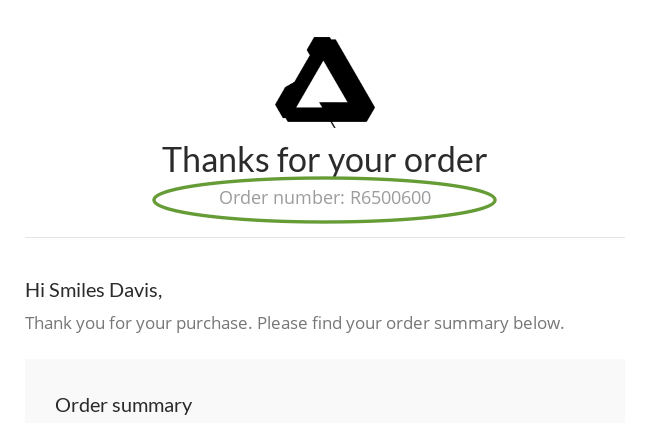
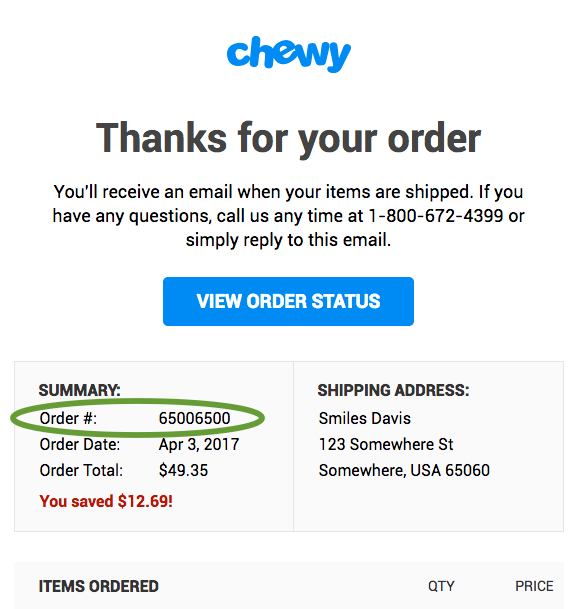
Place this information at the top of the email or make it easily accessible. The order number is like an ID: this is the first thing a customer service team asks if there are any questions about the order. You may include it even in the subject line.
Make a contextual subject line
The subject line is the second thing after the address that the user will see. It should convey a clear message and attract customers’ attention.
The subject line in the confirmation email should correspond to the email content – yet, the same general subject-line rules apply writing subject lines in general. We have an in-depth guide on writing catchy email subject lines, but the main thing to know about the confirmation email subject line is to make it clear and straight to the point.Useful confirmation subject lines are specific and searchable. Examples: “Your order #12345 is confirmed”, “Your appointment is booked for July 18”, “Please confirm your newsletter subscription”, “Payment received for invoice #4821”, and “Your package is on the way”.

You may also personalize the subject line – thus your confirmation email will stand out against others.
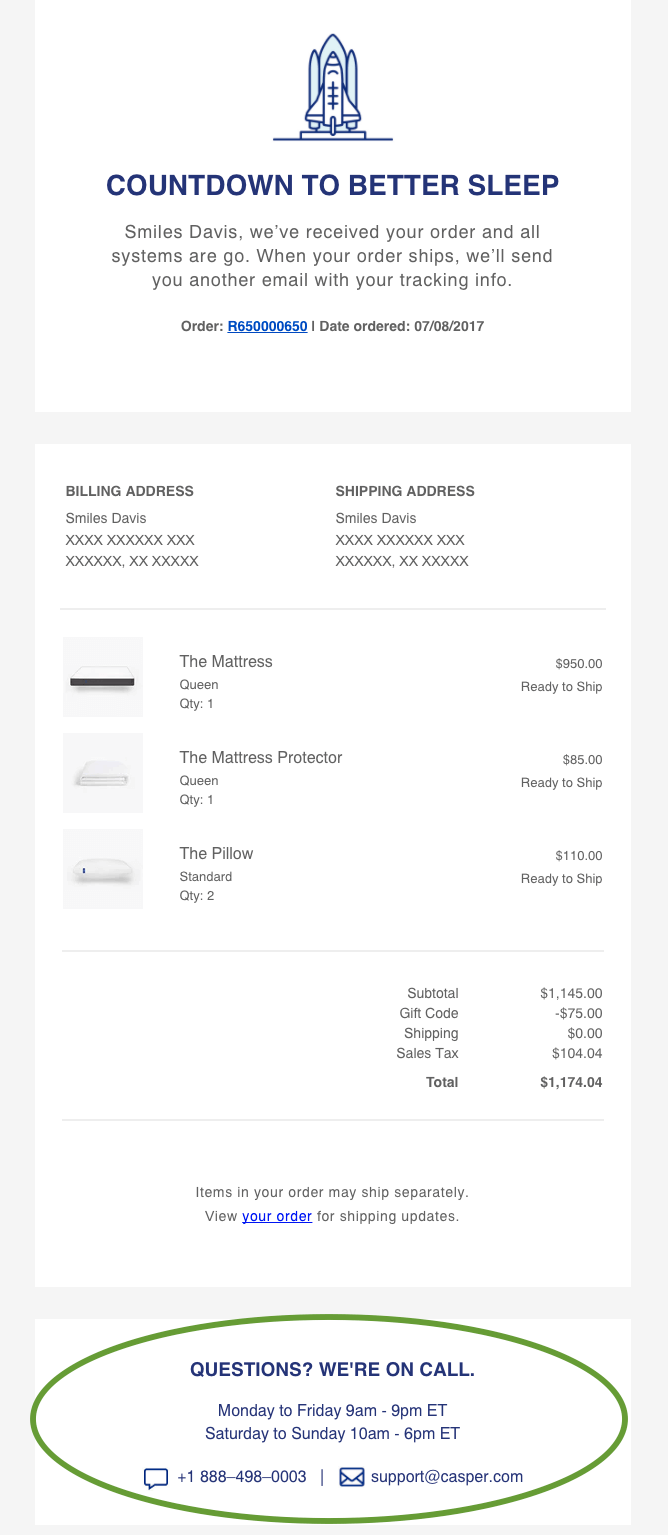
Provide business contact info
Provide information on how the client can contact you. Along with the order number, the contact information should be easily accessible, and it’s typically placed in the footer. There may be different reasons for it: the customer may wish to clarify the item details, change or cancel the order. Scanning through the email or website in search of contact information can be irritating and in the worst-case scenario encourage users to leave negative reviews.
Recommend related products to up-sell and cross-sell
First of all, let’s learn the differences between these two notions through the example with a cow:
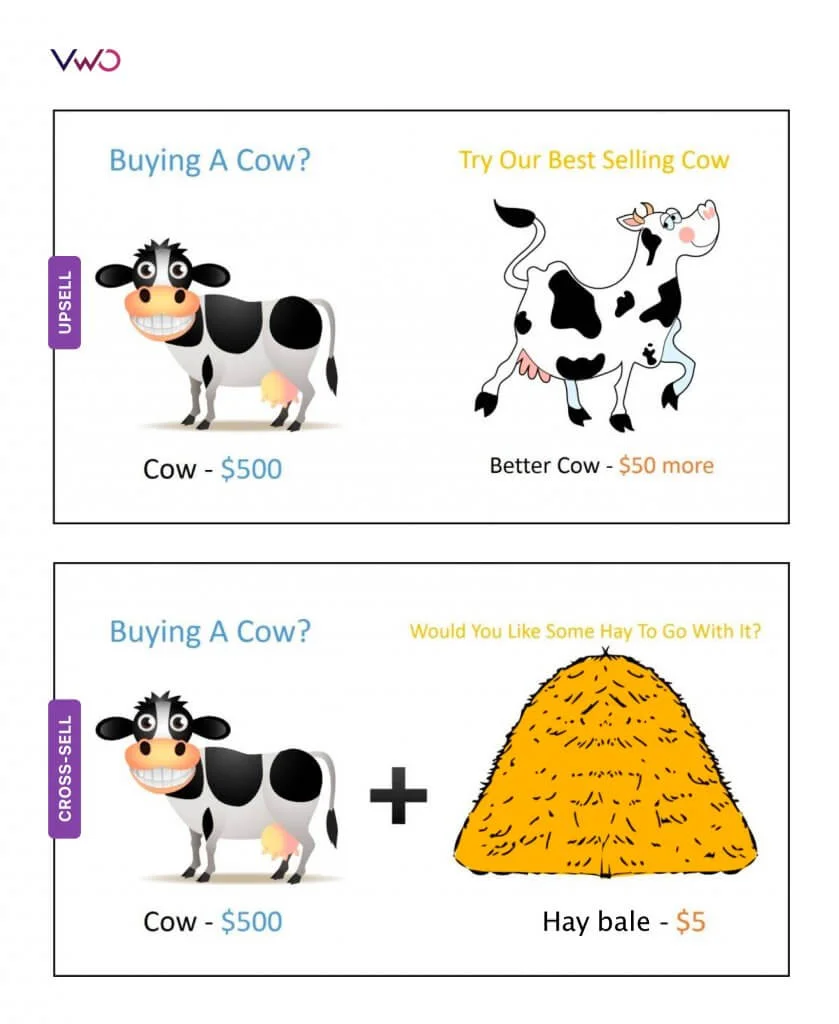
The upper example explains an upsell: if you buy a cow for $500, you can take a second one, a better cow, for just 50% more. Profit!
The lower example depicts cross-sell: we see you buying a cow, so you definitely need to take a hay bale for $5.
A confirmation email is a good chance to inspire a customer to buy more items since they are already interested in your brand. The proposed items can be along the lines of what the consumer has already bought.
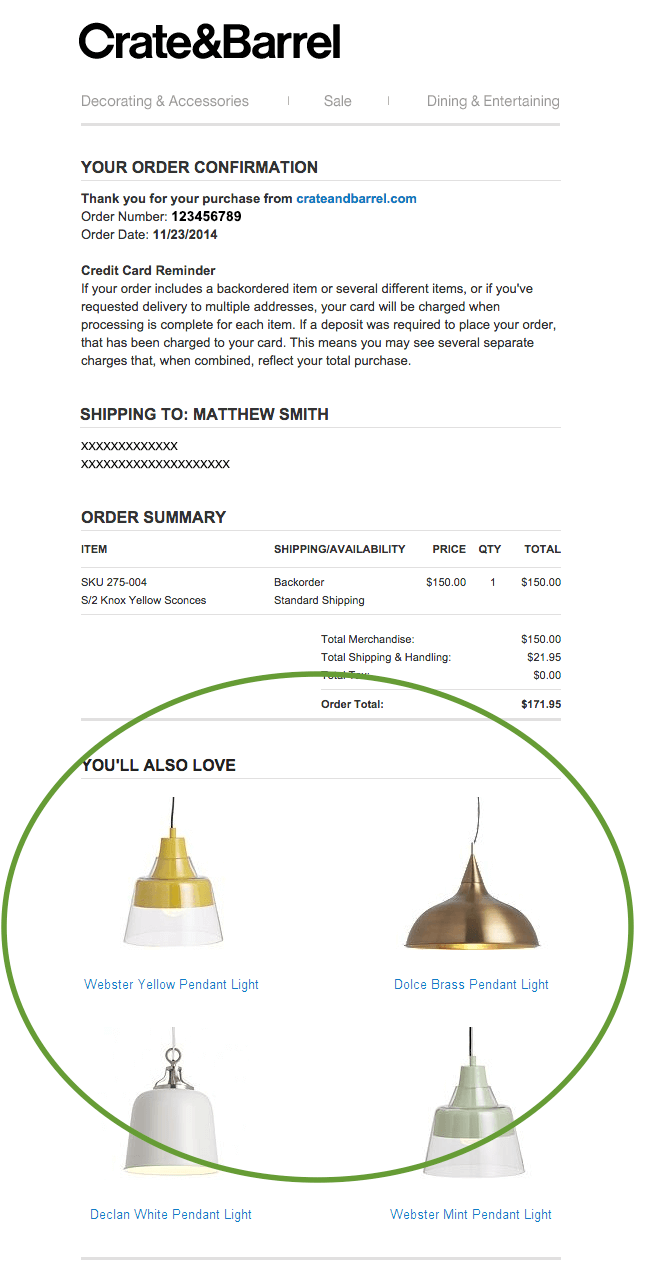
A recommendation block is usually placed at the bottom of the mail.
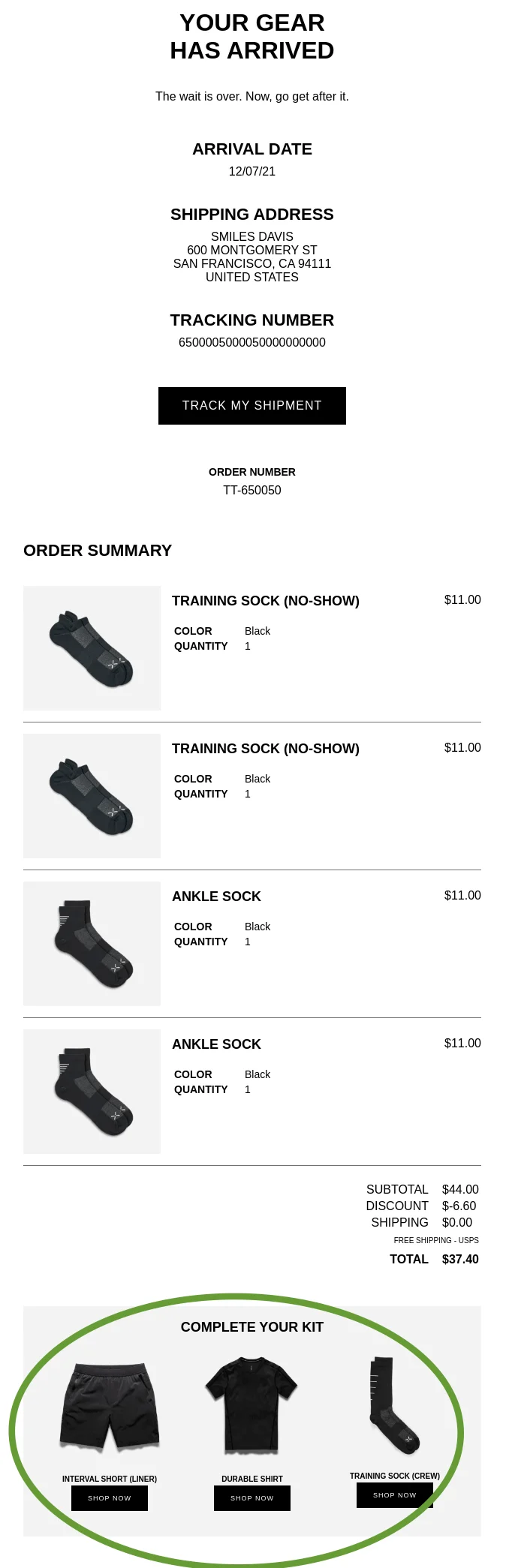
Keep recommendations secondary. The confirmation details, receipt, booking information, or tracking link should come first; related products, referral offers, and discounts belong lower in the email after the customer has already found the information they came for.
Offer a discount on the next purchase
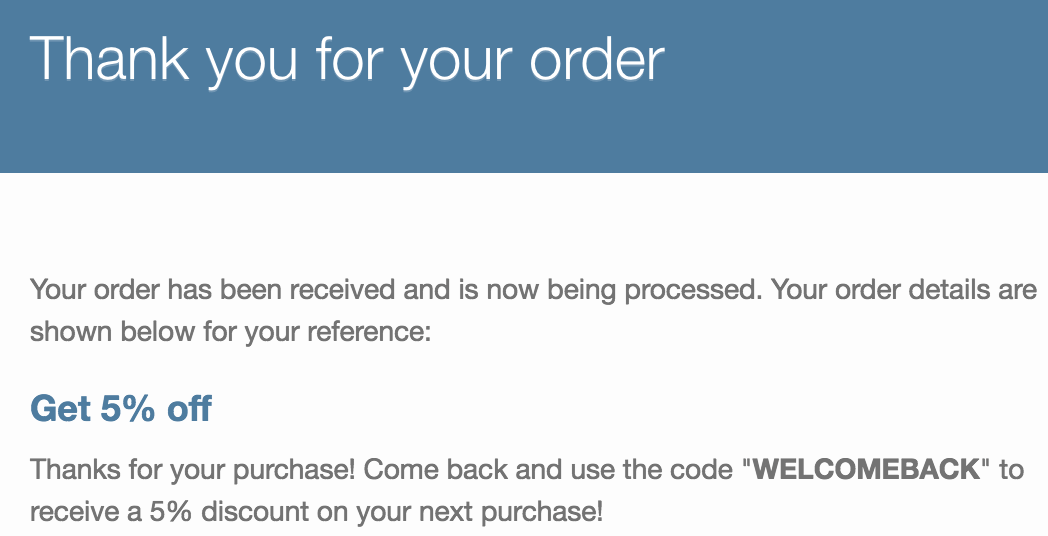
A nice thing to thank your customer may be a discount coupon, which also multiplies the chances for next purchases.
Set a deadline for coupon activation of 5-10 days following the order: you need to create a sense of urgency so that the client does not step back and postpone the next possible purchase.
Automating confirmation emails with real-time data
With Selzy, you can automate confirmation emails based on user actions on your website, app, or CRM and send them at the exact moment an action is completed. So that instead of static templates, you can use dynamic content to automatically get such information as order details, booking information, delivery dates, or confirmation links.This matters because confirmation emails can become inaccurate fast if they rely on copied or static information. With automation, the email can pull the latest order, booking, payment, or delivery data and then trigger the next step in the customer journey when needed.
For example, imagine a customer places an order in your online store.
Selzy then can send an order confirmation email with the order number, product list, prices, and delivery details.
The same automation can continue with a follow-up email — for instance, sharing delivery updates or related product recommendations.
Selzy’s automation features help you manage confirmation emails at scale — from simple transactional messages to multi-step confirmation flows — without manual work or complex setup.

Final thoughts
Confirmation emails do more than confirm that an action happened. They reduce uncertainty, set expectations, and create a trusted moment where customers are already paying attention. All you need is to stick to the following principles:
- Personalization is a must. Confirmation emails are one-on-one conversation, which is supposed to provide relevant offers.
- Make the important information visible and easily accessible: order number, billing summary, item photos, contacts.
- Pave the way for future interaction: make the newsletter captivating, offering discounts and coupons and activating upsells and cross-sells.
- Use the confirmation email for strengthening your brand awareness: incorporate visual identity elements and mind the tone of voice.
FAQ
What is a confirmation email?
A confirmation email is a trigger email sent after a user completes a specific action. Common examples include booking tickets, placing an order, subscribing to a newsletter, or registering for an event.
When should I send a confirmation email?
Send it immediately after the customer completes the action you want to confirm. These emails are expected after purchases, bookings, registrations, subscriptions, and similar transactions because they reassure the customer that everything went through.
What should a confirmation email include?
Include the key details that prove the action was completed, such as an order summary, booking date and time, contact information, transaction details, or clear next steps. The exact content depends on the type of confirmation, but it should always help the customer verify what happened.
What types of confirmation emails should businesses send?
The content highlights several types: order confirmation, booking confirmation, registration confirmation, subscription confirmation, visit confirmation, payment received confirmation, and shipping confirmation. Each one should match the specific action the customer took and include the relevant details.
Should confirmation emails include promotions or upsells?
Yes, they can be used as an opportunity to inspire or upsell new products or services. Since confirmation emails typically have high open rates, they are a strong place to strengthen the relationship with the customer, as long as the main confirmation message stays clear.
What is the difference between single opt-in and double opt-in?
The article mentions double opt-in in the context of subscription confirmation, where a confirmation link or button validates consent. It does not explain single opt-in in detail, but it shows that double opt-in is used to confirm the subscription before it is completed.
Can I automate confirmation emails?
Yes. Confirmation emails are trigger emails, which means they are sent automatically after a user performs a specific action. This makes them well suited for automating responses to purchases, bookings, registrations, subscriptions, and payments.
 New and noteworthy on our blog
